Design Verification
- Determines whether the design meets its specification
- Occurs during design stage, before fabrication
- Can involve simulation or prototype hardware
Manufacturing Testing
- Determines whether a fabricated device functions correctly
- Concerned with detecting manufacturing defects
Testbenches
A testbench is a type of design verification used for VHDL. The design being verified is called the design under test (DUT).
The testbench applies input stimuli to the DUT and allows its outputs to be observed. More advanced testbenches can automatically check DUT outputs against expected results.
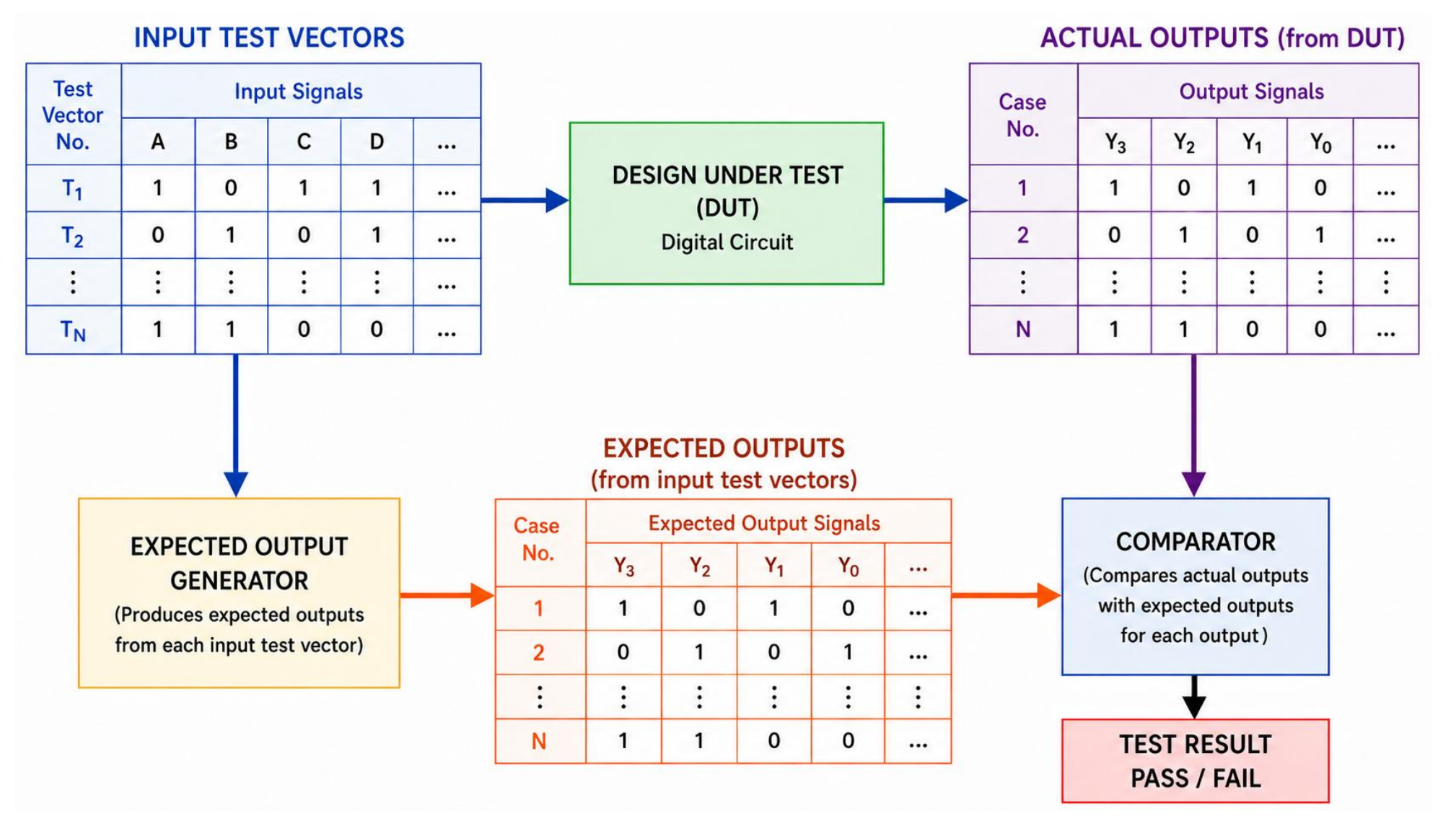
The set of input values applied is known as a test vector. They can be defined directly in the testbench .vhd file or stored in a separate text file.
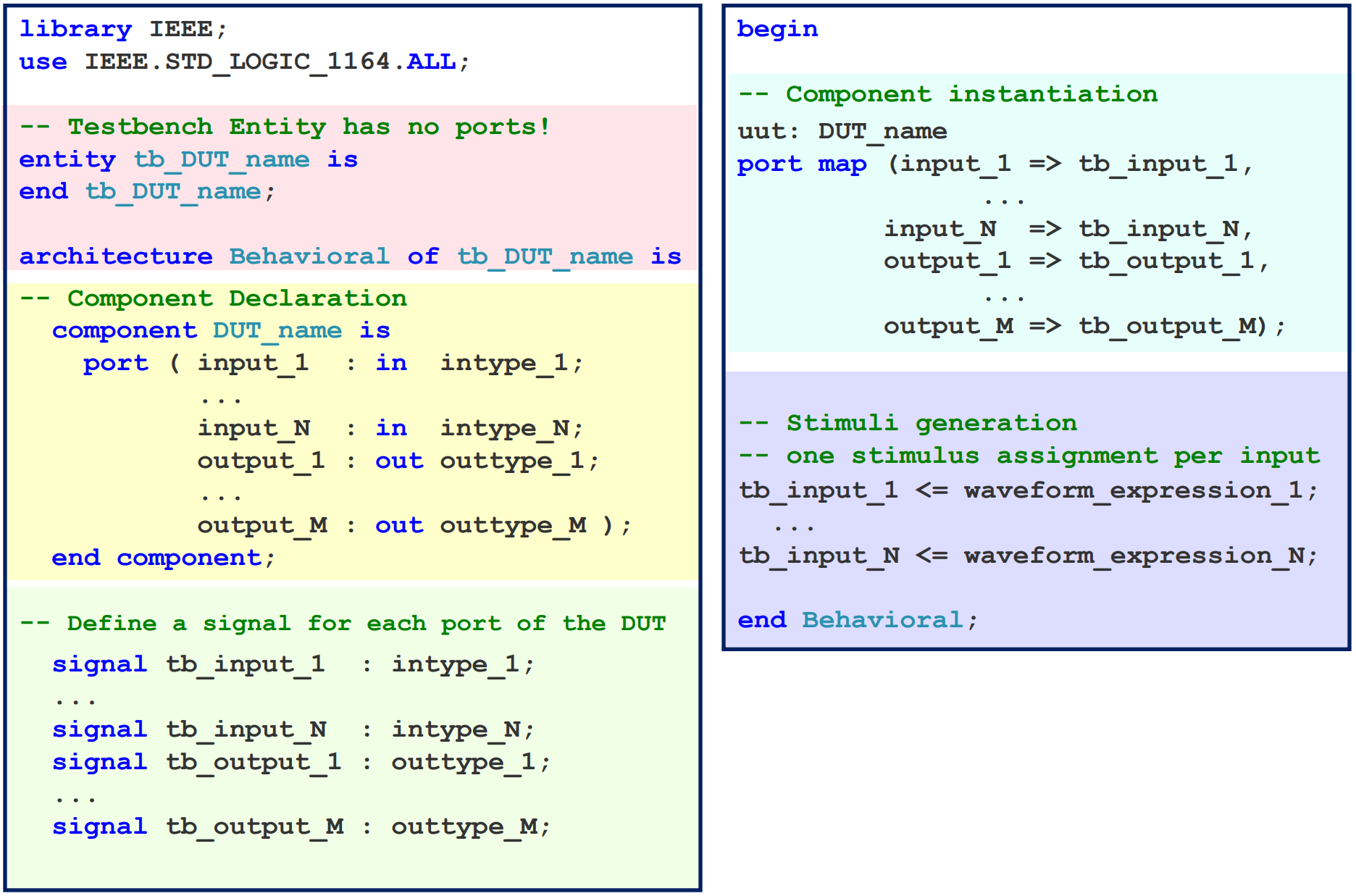
Types of Testbenches
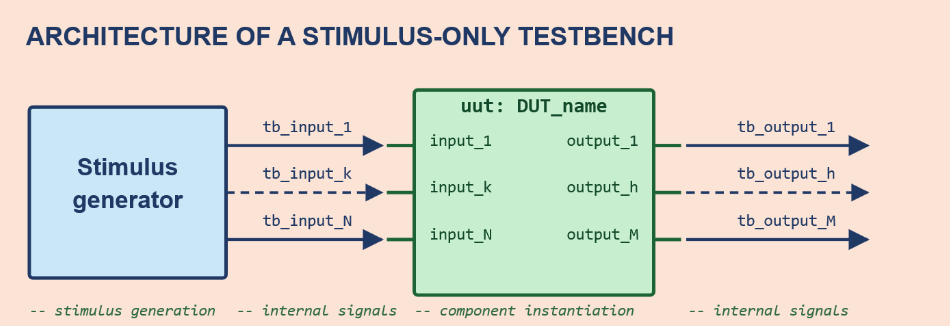
A Stimulus-Only Testbench generates and applies input signals to the DUT only. The DUT outputs must be manually checked. This method is useful for initial debugging and simple designs, but manual checking becomes inefficient as the number of test cases increase.
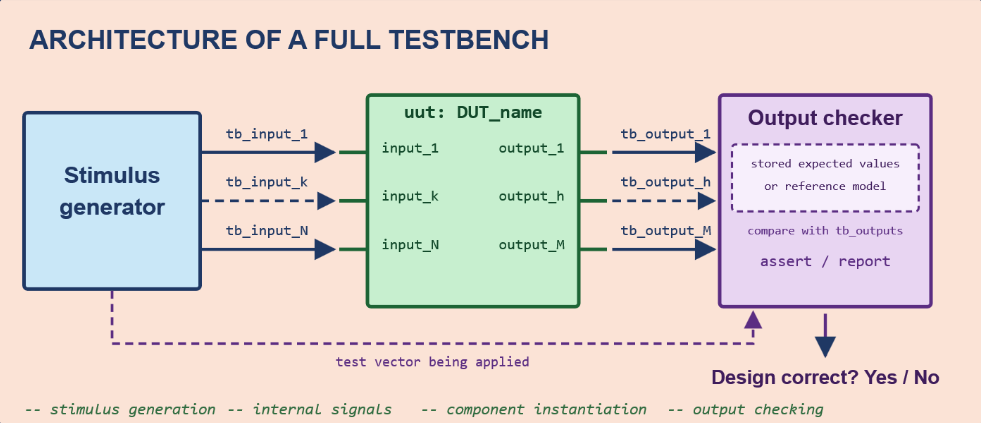
A Full Testbench automatically checks the DUT outputs and compares them with the expected outputs.
Delayed Signal Assignments using AFTER
The AFTER keyword in VHDL is used to schedule signal assignments at specified times. It is useful for modelling timing behaviour.
The delay specified by AFTER is not synthesisable.
signal_name <= value1 [after time1] {, value2 after time2};The first waveform element may omit the AFTER clause, in which case it will be scheduled for the current simulation time.
a <= '0' after 0 ns, '1' after 40 ns;
b <= '0' after 0 ns, '1' after 20 ns, '0' after 40 ns, ...
Cin <= '0' after 0 ns, '1' after 10 ns, '0' after 20 ns,
	   '1' after 30 ns, ...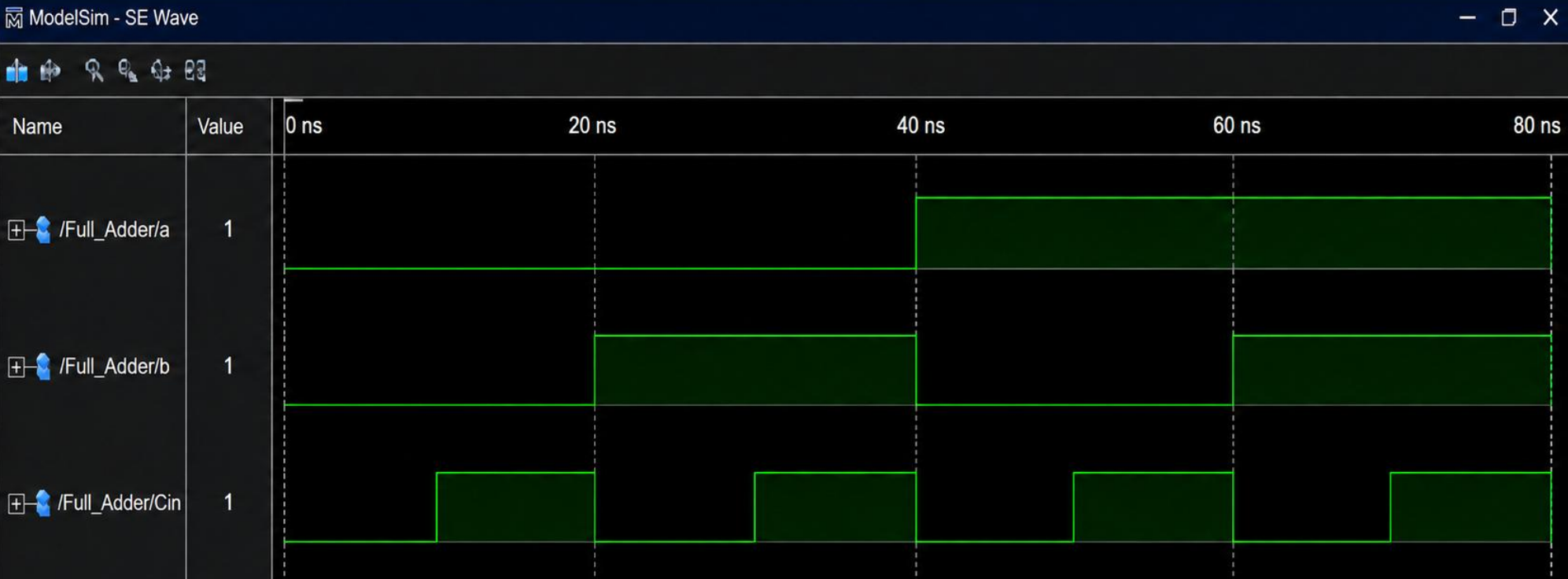
VHDL Time Values
Time values in VHDL are represented in integer multiples of femtosecond (fs). You cannot use decimal values.
For example: ps can be represented exactly as fs, but fs cannot be represented exactly.
One second is equal to fs.
See: WAIT Statements
ASSERT Statements
An ASSERT statement can be used to check a condition and then display a specified message if the condition is false. It can be used to develop full testbenches.
ASSERT condition [REPORT "message"] [SEVERITY severity_level];ASSERT is a non-synthesisable statement. It can be used in both concurrent and sequential code.
assert (tb_sum = '0' and tb_cout = '0') report "Error for input 000: Expected tb_sum=0,tb_cout=0";You can assign a severity level to indicate importance of the message:
-- severity_level can be:
NOTE -- information
WARNING -- possible problem
ERROR -- serious problem
FAILURE -- most severe problem
The default severity is ERROR.
The
REPORTkeyword can be used withoutASSERTin which case it will always trigger. Its defaultseverityisNOTE. Reports are useful for displaying information during operation (e.g. “Initialisation complete”).